Your records, together
Tirzepatide tracker for schedules, supply, and history
Make your next record easier to find. Keep your tirzepatide schedule, actual dose times, and remaining supply in one place, with history you can review when your routine changes.
An account is needed to keep records. Public calculators are available without signing in.
See the schedule and what actually happened
Enter the schedule you follow, including its start date, then record each dose when it happens. Weekly views and adherence summaries compare your logs with your own schedule. A planned entry and a logged dose remain distinct, so the timeline is useful when you are checking your records later.
- Set a start date, repeat pattern, and optional dose time.
- Log the actual dose amount, time, and injection site.
- Use optional reminders that refer back to the schedule you entered.
Preserve history when a schedule ends
When your recorded schedule changes, keep the old period understandable. Completed schedules have end dates, and earlier versions can be reviewed in the Archive. History remains available without continuing to plan doses beyond a schedule’s end date.
- Review the dates covered by each schedule.
- Keep earlier versions as read-only history.
- Compare past logs with the schedule that applied to that period.
Prepare your records before time away
Before a trip or a busy week, review the upcoming dates, the supply you recorded, and your recent dose history. Inventory holds remaining quantities and entered beyond-use dates; a PDF export gives you a copy of your records to keep or share. These tools organize information and do not determine travel, storage, or treatment requirements.
- Check recorded pen or vial quantities and remaining stock.
- Estimate supply duration from your own amount and repeat interval.
- Keep wellness notes and export a report when you need a portable record.
A look at schedule setup
Enter the basics first. Additional schedule options are available when you need them.
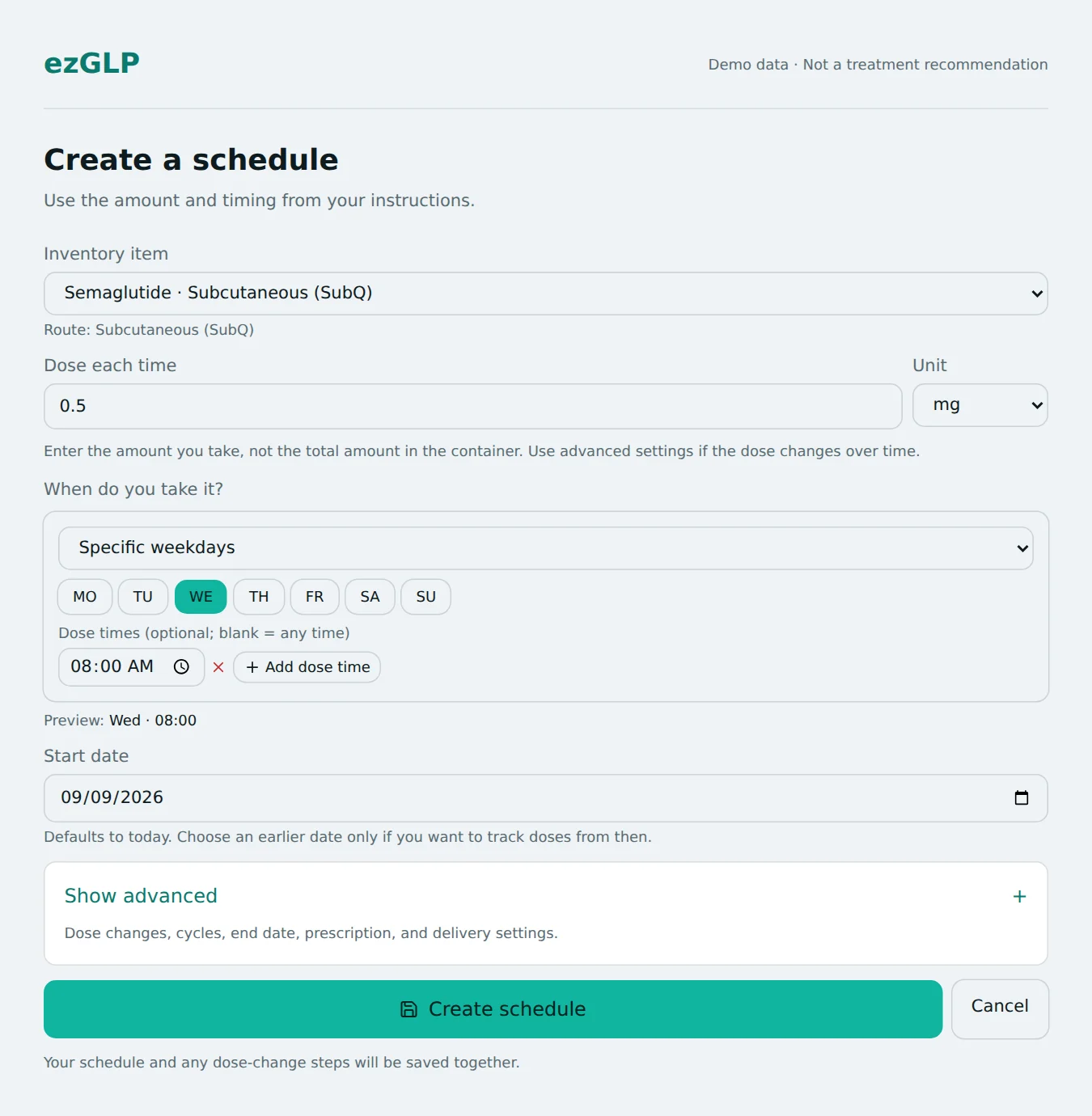 Open full-size screenshot in a new tab
Explore before creating an account
Check supply duration →
Estimate the number of doses and time covered by the amount you enter.
Preview upcoming dates →
Explore the dates generated by your existing interval, without changing a saved schedule.
Read the tirzepatide reference →
Browse background information with sources linked from the research profile.
ezGLP is a recordkeeping tool. It does not select a treatment dose, recommend schedule changes, or interpret symptoms. Calculators use your inputs and do not establish whether a dose or product is appropriate. About ezGLP and its limitations.