Your records, together
Semaglutide tracker for doses, inventory, and notes
Keep the details behind each semaglutide entry together: what you recorded, when you took it, and which supply it came from. ezGLP organizes the schedule and amounts you enter.
An account is needed to keep records. Public calculators are available without signing in.
Start with the product you actually use
A medicine name alone does not describe your whole record. Enter the product details and route that match your own records, then add the schedule you already follow. For injection records, keep pen or vial details and any entered concentration attached to the supply they describe.
- Record your medicine and its route before setting up the schedule.
- Keep dose amount and amount unit together; volume and syringe markings are separate fields where applicable.
- Use the start date to anchor when your schedule begins.
Keep continuity when your records change
A new supply or an updated schedule can make a notes app difficult to follow. ezGLP keeps dose logs, inventory, and schedule history together, so you can look back at the records that applied at the time. Previous schedule versions remain available in the read-only Archive.
- Log the actual amount and time for each entry.
- Keep completed schedules as history when a new schedule takes over.
- Review dose history alongside the stock and preparation details you entered.
Bring observations to your next conversation
Add weight, hydration, sleep, side-effect notes, or journal entries as you go. A PDF report brings recorded doses and wellness observations into one document you can review or share with a clinician. The app presents your entries without interpreting what caused a change.
- Record observations on the day they happened.
- Review your dose log and wellness timeline together.
- Export a PDF report or structured records for your own files.
A look at schedule setup
Enter the basics first. Additional schedule options are available when you need them.
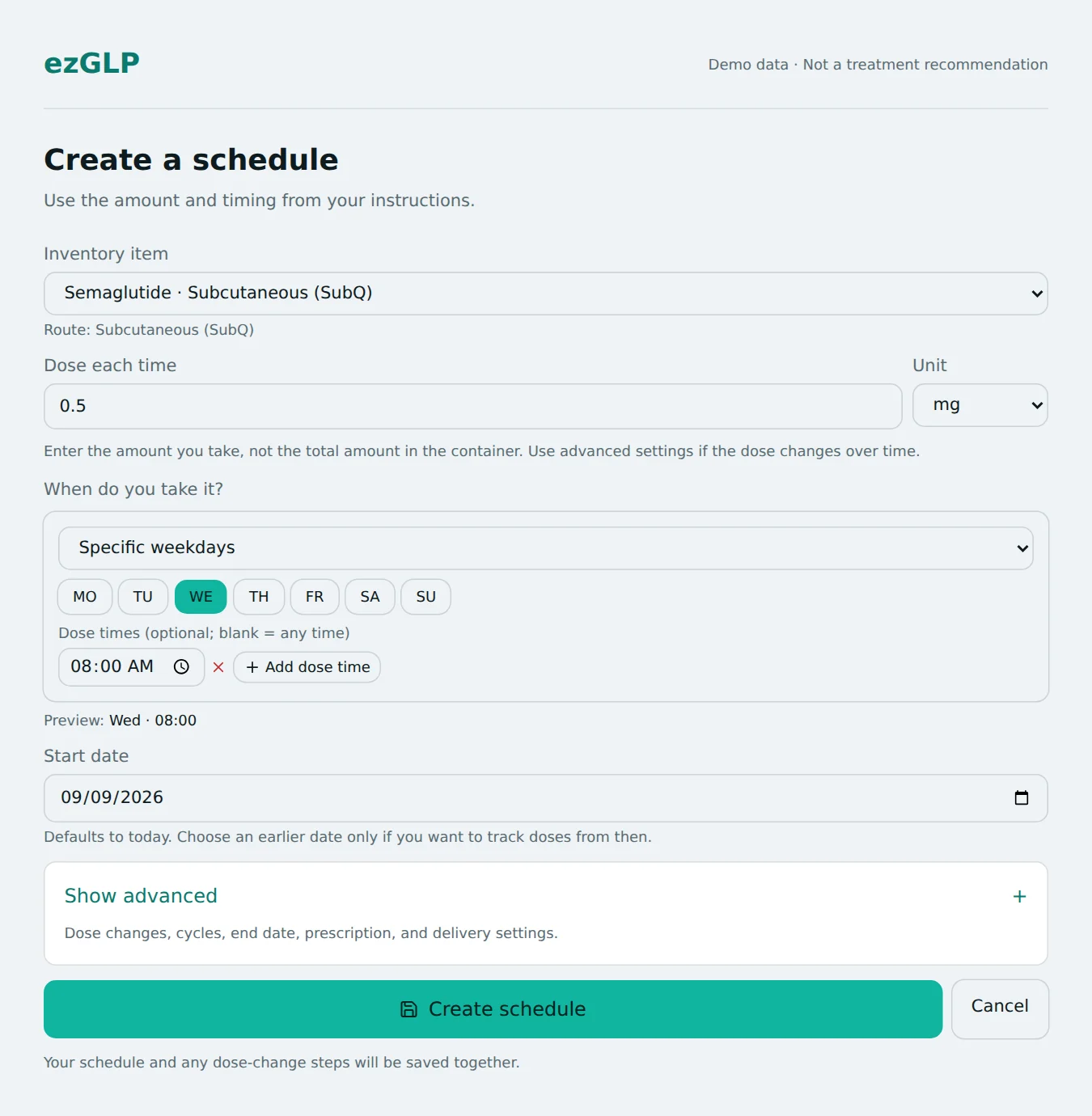 Open full-size screenshot in a new tab
Explore before creating an account
Preview your schedule →
See the dates produced by a start date and repeat interval before entering a schedule.
Estimate supply duration →
Calculate how many entered doses an amount covers. This is an arithmetic estimate of quantity.
Read the semaglutide reference →
Find background information and linked sources in the research library.
ezGLP is a recordkeeping tool. It does not select a treatment dose, recommend schedule changes, or interpret symptoms. Calculators use your inputs and do not establish whether a dose or product is appropriate. About ezGLP and its limitations.